Can you restore an old photo for free?
Yes. OldPics gives you 5 free restores, with no subscription and no card needed. Upload a clear scan of the photo, and you get back a version with scratches, stains, tears and fading repaired, at the same aspect ratio as the original. Free restores run at Standard quality. If you need more, packs are a one-time payment.
What a free restore looks like
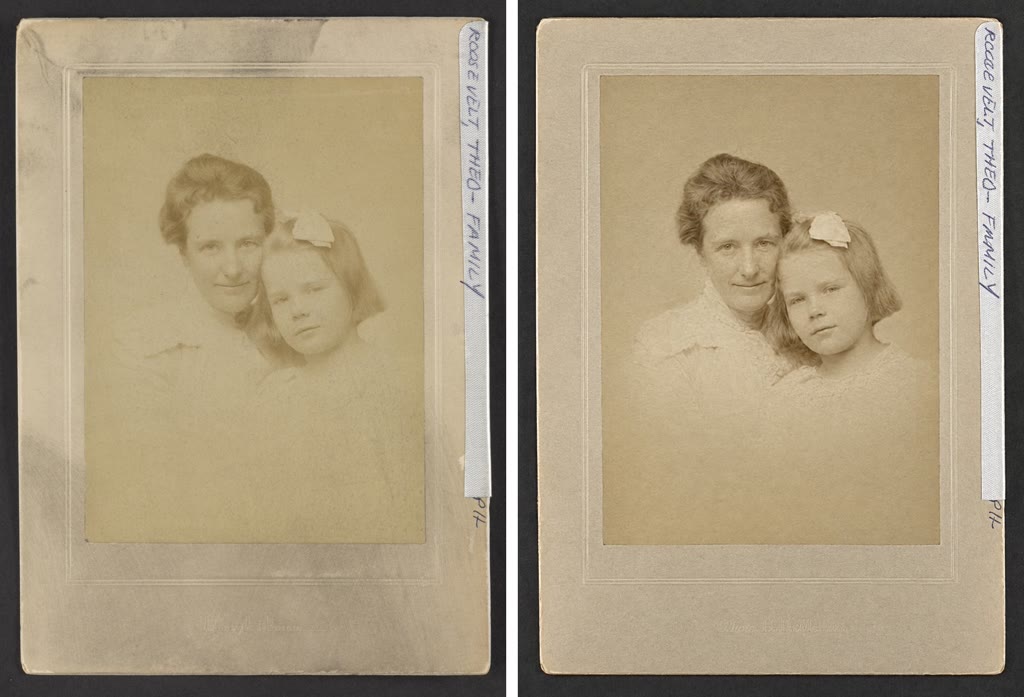
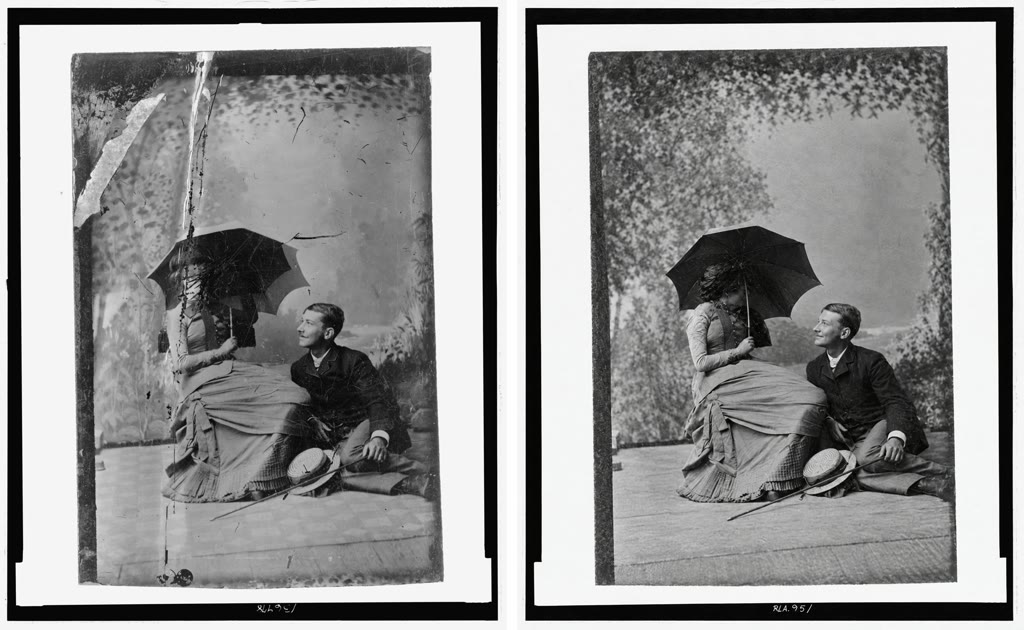
The restore works from what is visible in the photo. It fills in cracks and missing specks, evens out fading, and keeps the faces, clothing, grain and any writing as they were. It does not crop the picture or change its shape.
How to restore a photo for free
- Scan the photo. Use a flatbed scanner if you have one. A phone photo works if it is sharp, flat, evenly lit and has no glare. If the print is on a mount or card with a handwritten caption, crop that off before you upload, unless you want it kept in the result.
- Upload it at oldpics.ai.
- Choose your options. Turn on Compare if you want several versions of the same photo in one go (2 on free, 1 restore; 6 with a pack, 4 restores). Turn on Colorize if you want color. Quality is set for you: Standard on free restores, High with a pack.
- Download the result.
What it can't do
Restoring works best when the damage sits on top of a photo that still has detail underneath. Some things it can't bring back:
- Soft or blurry faces stay soft, or get invented. If a face was out of focus or tiny in the original, there is no real detail to recover. The result may stay soft, or the fine features may be guessed. Check faces closely against the original.
- Hands and feet have the same problem. They are often small and blurred in old photos, and they may come out soft or reshaped.
- Large missing areas are invented. If a corner is torn off or a stain covers half a face, whatever fills that space is a guess, not a recovery.
- Colors are a best guess. A black-and-white photo has no color information in it. When you colorize, skin, clothing and backgrounds are filled in with plausible colors, and two runs on the same photo can disagree.
- Mounts, cardstock and captions are not cropped out. It keeps the whole image you upload. Crop before uploading if you only want the photo itself.
- It needs a clear scan. A dark, blurry or glare-covered phone snap limits what any restore can do.
Free vs. paid
| Free | Pack | |
|---|---|---|
| Price | $0 | $9 for 20 restores, or $29 for 100 restores (one-time) |
| Restores | 5 | 20 or 100 |
| Quality | Standard | High |
| Compare | 2 versions, costs 1 restore | 6 versions, costs 4 restores |
| Subscription | No | No |
FAQ
Is it really free, or is there a trial that turns into a subscription?
The 5 free restores are free. There is no subscription on OldPics at all. If you want more, you buy a pack once: $9 for 20 restores or $29 for 100.
What is the difference between Standard and High quality?
Free restores use Standard quality. Restores from a paid pack use High quality. Both keep the original aspect ratio and work from the same scan.
Can I colorize a black-and-white photo for free?
Yes, Colorize is an option on any restore, including free ones. The colors are a best guess, because a black-and-white photo doesn't record color. If you want to see a few different guesses, use Compare.
Will it change the faces?
It keeps faces, expressions and ages as they are in the original where the scan shows them clearly. Where a face is too blurry or damaged to read, detail can be softened or invented, so compare the result with the original before you share or print it.
Try it on your own photo: restore an old photo for free at oldpics.ai. 5 restores, no subscription.
Related guides
Last updated: 25 September 2026